

Software Wars, the Movie

Soundtrack for the book:

Emails to the FDA Compounding Alias
Around July 4th, on a whim, I decided to send an email to the Ivermectin Compounding Alias. I had written them 18 months ago.
Here is what I wrote:
Hi,
Have you changed your position on Ivermectin or HCQ yet?
There’s a mountain of evidence they work against Covid. See these websites: c19ivm.com and c19hcq.com
I know captured government agencies learn slowly, but maybe 18 months is enough time?
Thank you!
A few days later, someone politely responded:
Thank you for writing the FDA. Your inquiry has been forwarded to the Division of Drug Information in the FDA’s Center for Drug Evaluation and Research for a reply.
We appreciate you taking the time to share your comments about ivermectin and hydroxychloroquine. Please be advised that there is no new information at this time. We encourage you to check our websites periodically for potential updates or new information. FDA has not approved ivermectin or hydroxychloroquine for use in treating or preventing COVID-19 in humans. To learn more, please visit our webpages titled Why You Should Not Use Ivermectin to Treat or Prevent COVID-19 and FDA cautions against use of hydroxychloroquine or chloroquine for COVID-19 outside of the hospital setting or a clinical trial due to risk of heart rhythm problem.
In addition, you may wish to search the ClinicalTrials.gov website (a service of the U.S. National Institutes of Health) for studies involving ivermectin and/or hydroxychloroquine and COVID-19. It is intended to be a central resource, providing current information on clinical trials to patients, to other members of the public, and to health care providers and researchers. This site provides information on the product being investigated, the trial’s purpose, who may participate, the status of the trial, the trial’s sponsor, trial locations, and contact information for more details.
In general, in order for a drug or indication to get approved by the FDA, the drug company must test the product. The company then has to submit the evidence to the FDA in their New Drug Application (NDA) obtained from the tests to prove the drug is safe and effective for its intended use in the intended population. You may wish to learn more about the Drug Development Process and Basics About Clinical Trials.
For the latest updates from FDA, visit: Coronavirus Disease 2019 (COVID-19).
Best regards,
JP
Pharmacist
And so I decided to take my opportunity and respond once again, with more information:
Thank you very much for your response! My mail was short and rude, but I know you are busy, the science speaks for itself, the hour is late, and there’s a huge body of evidence you are ignoring! If you saw a doctor who refused to wash his hands, would you be polite or upset?
People are dying and being disabled because of a lack of early, effective treatment like IVM and HCQ + Zinc.
The key thing you are likely missing is that anyone can sabotage a trial to make it show a medicine doesn’t work. For example, letting people take the treatment up to 14 days after first symptoms. That is one of many ways to hide an efficacy signal, that doesn’t get mentioned!
I recommend everyone read “The War on Ivermectin”, by Pierre Kory. He goes into great detail on the many ways 6 key trials of Ivermectin were deliberately sabotaged, by those with conflicts of interest.
If everyone at your organization read that book, it would blow your minds and you would push for change inside your organization. Which is good because the current COVID strategies are a disaster and will lead us to societal collapse.
I’m a computer scientist and a futurist, so while I can’t always predict every detail, I can in certain cases see contours of the future clearly, and there are multiple ways we are heading for societal collapse because of our incompetent response to COVID.
What happens when the virus keeps competing with itself to become more infectious and immune evasive? Why the massive increase in “turbo”-cancers? What is the risk from SARS-CoV-2’s ability to infect 100 species?
What happens when all our healthcare workers become disabled from catching every new strain? Do you know how many are disabled today? What about electricians and truck drivers?
I could create a long list of difficult questions like that.
It’s not just government agencies screwing up, doctors have become robots and just follow orders on treating COVID.
Harassing” pharmacies for years(!) over Ivermectin, a safer and more effective drug than any of the expensive and toxic junk the FDA is pushing, is a clear sign of the dystopian apocalypse.
That horse paste is actually far safer and more effective than any drug the FDA ever recommended against COVID is a related, but separate strong signal. You are the horsemen.
Of course we are heading into an unknown disaster since they quit testing, and didn’t even update the tests. They would prefer everyone not know the true number of Covid cases since it would hurt their poll numbers and “vaccine” campaign. Society is cannon fodder for the vanity of our political leaders.
I can confidently say government agencies are captured because I see how multiple safer, more effective, and cheaper drugs are sabotaged and ignored while expensive, toxic and only slightly effective drugs, some with population-level risks(!), are pushed instead. Pierre Kory calls it the “war” on repurposed drugs.
As another example, the Covid “vaccines” are a complete disaster. The spike protein is the most toxic protein ever, the injections travel all over the body, produce an uncontrolled amount of spike for an uncontrolled duration, the quality control was terrible, there was lots of fraud in the trial, people at the top knew these gene therapies were ineffective and deadly very quickly, but they pushed to mandate it anyway. Prison is too kind for some of them. We need trials at the Hague.
What the FDA should be doing is pushing to make IVM (and HCQ, and basic antibiotics) available without a prescription, and ramping up the production. People need to take the drugs IMMEDIATELY after first symptoms for less risk of being disabled. Everyone should have it in their home. It can also be taken preventatively. They work for every RNA virus.
Again, I’m sure you are all trying, but the best strategy is still the opposite of what the government is currently doing. You are playing only a part of this ongoing crisis, but you need to understand the big picture, and push for change. Congress is dysfunctional, the White House is useless, so the best hope for humanity is reform from the inside.
If you don’t have time to read the book right away, please check out this interview of Dr. Kory:
Thank you for reading this and feel free to email if you want any more information. I have papers to back everything up, but Pierre’s book explains most of this.
Regards,
Keith
Response from FDA Compounding Alias
I got a response from the FDA compounding alias from my email to them:
Dear Mr. Curtis,
The Office of Compounding Quality and Compliance within CDER’s Office of Compliance acknowledges receipt of your email concerning ivermectin. Thank you for the information that you have provided.
If the FDA should comment further on this issue, we will do so publicly. In the meantime, please feel free to go to FDA’s Compounding website for currently available information at https://www.fda.gov/drugs/guidance-compliance-regulatory-information/human-drug-compounding.
Should you have any additional comments/questions, contact compounding@fda.hhs.gov
Sincerely,
Office of Compounding Quality and Compliance
Office of Compliance
Center for Drug Evaluation and Research
And so I wrote a reply back:
Dear FDA compounding alias,
Thank you very much for replying. My first email was not the most polite, but it’s frustrating to see a government agency doing the opposite of what they should be doing, while the pandemic goes out of control. If you see someone pouring gasoline on a raging fire that has been burning for 2 years, a government agency meant to protect the public from infernos, it’s a little bit hard to be extremely nice.
Copying and pasting (possibly) inaccurate information in the midst of a pandemic should weigh on your conscience. You should want to double-check and even triple-check your work. Are you certain you aren’t doing the bidding of Big Pharma? Threatening pharmacies making well-known safe and life-saving treatments may effectively cause the death of people. Another unintended consequence of your effort is more people will be forced to buy the horse paste.
I understand my blog post I sent you a link to (https://keithcu.com/wordpress/?p=4410) would not be perfectly convincing to everyone of the safety and efficacy of Ivermectin against Covid, but it is a good start. There is so much to discuss, from the purposely designed poorly-run trials, to the corrupt meta-analyses meant to downplay the signals, to the papers retracted for political reasons. For example, the Principle trial gave it up to 14 days after first symptoms. You don’t have to be an MD to realize that waiting so many days can easily sabotage the efficacy signal of a treatment. It would be a bit like waiting an average of 7 days to treat a gunshot wound, and then complaining about the bad results! Do you ever hear people talk about time to treat?
There are no big and top-dollar studies showing Ivermectin works because it threatens billions of dollars in Big Pharma money, and the vaccine EUA. In fact, the vaccines, should never have been approved. The NIH should have conducted a study in April 2020 on IVM for Covid, when the evidence first arrived. Conducting one now would be embarrassing and unethical. This is the March of Folly.
I admit it is not entirely easy to find the truth, that Ivermectin is extremely safe and effective against Covid. I said previously there were 60 studies regarding Ivermectin for Covid, but now there are actually 80! Also hundreds of doctors in the US and thousands of doctors worldwide who are using it. It’s almost insane that the most effective doctors are being threatened. It makes me think we are heading down the path of Idiocracy.
If you look closely, you will notice that the NIH wants to push only the expensive and novel but minimally tested drugs, not the proven safer and cheaper ones. The NIH is obviously corrupt, but you are only playing one small part in that.
One of the big challenges in our current medical system is that no one is experimenting anymore. No major University has created an inpatient or outpatient Covid protocol. Doctors are just following guidelines and never trying anything new or trusting their clinical judgment. Modern medicine is bureaucratic, stagnant, and sad. And being destroyed. BTW one other reason it’s being destroyed is that when you don’t treat aggressively outpatient, they go to the hospital and every admission is a super-spreader event.
If you never try anything new, you will never get better! Meanwhile there are 1300 studies of various drugs, but very few of them are being recommended or used, by the NIH or anyone else:

I could easily improve outcomes over my nearest hospital. It sucks to live in this situation where a computer scientist knows how to treat Covid far better than the NIH or the local hospital filled with experts who are actually just drones.
It would take a while to prove it, but HCQ and Ivermectin are far safer and more effective than the jabs, Remdesivir, Molnupiravir and Paxlovid.
Obviously, not all of these mistakes are your fault, or are things you are capable of fixing, but it can be helpful to see a pattern of terrible behavior around you before you realize you are screwed up at your job. It can also help you understand why the pandemic keeps getting worse.
If I were in charge of the NIH, I could have ended this pandemic last April. Some people think this virus is reverting to a more virulent form, and so humanity is in deep shit if we don’t get the replication under control by mass chemo-prophylaxis — of the kind you are threatening people over! You don’t have to spend 4 years in medical school to realize that if you want to prevent people from going to the hospital, effective treatment before the hospital is important.
The decision to mass-vaccinate in the middle of a pandemic using the full spike protein will go down in history as the worst public health decision ever. It’s like 1000s of Titanics. I have papers you could read to explain more, (such as this great one by Seneff and Nigh) but in short, it’s because the spike protein is the toxin of the disease, and it causes clotting, neurological disorders, and many other problems. It’s genocidal to encourage it or mandate it, and surely secretly within the Pfizer data is a mountain of bad evidence not published– I’d love to see the D-dimer levels which they gathered for patients, but never published.
It’s not just that the jabs are dangerous on an individual level, but also on a population level, by breeding vax-resistant and more infectious and immune-resistant strains. Mass-vaxxing during a pandemic is like a dog chasing its tail. Except far worse.
When I wrote to you in December, I said Covid was the worst it has ever been, but in that time it has gotten even worse. The best way to end this pandemic is to make Ivermectin and Hydroxychloroquine (and other similarly safe effective therapies) available without a prescription, next to the cough syrup in every drug store and gas station. If you did that, then Covid would no longer be filling every hospital, and people would not get long-Covid.
I’m not a medical doctor, but I’ve spent time working on mind-bending computer science problems, and this is not one one of them. India is distributing Covid home-treatment kits in some places right now: https://www.hindustantimes.com/cities/others/covid19-medicine-kits-distribution-begins-in-varanasi-101641063721395.html
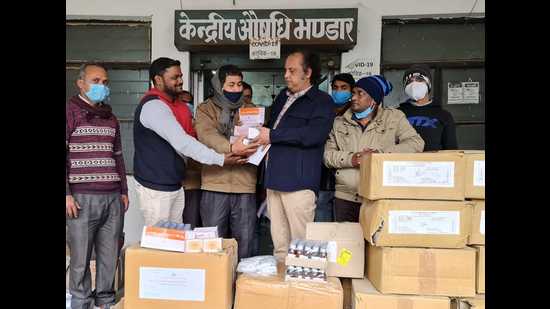
As I wrote in my blog post, testing without treatment for an infectious disease is madness, but who complains?
You are downstream from these terrible decisions. But you are also a sentient being who has the possibility to learn and complain to your manager.
So anyway, it kind of sucks for me to watch a big organization flounder for 2 years and act in a way that can only be explained bureaucratic incompetence combined with regulatory capture. If you’d like me to explain any of this in more detail, I’d be happy to.
At some point, you should get frustrated with the number of waves, and hospitalizations, and deaths, and want to do much better.
Regards,
-Keith
Email to the FDA Compounding Pharmacy Alias
Hi;
I’ve read one of the threatening letters you’ve sent to compounding pharmacies about Ivermectin. Unfortunately, they are full of mistakes. Ivermectin is far safer than mutagenic Molnupiravir, for example.
If you wonder why the US has a worse Covid death rate than almost every other country, it’s because of bureaucratic incompetence combined with regulatory capture. Your letters are a perfect example of that.
I realize you might just be copying and pasting text, and you’ve probably not read any of the 70+ scientific studies showing Ivermectin safety and efficacy, nor talked to any doctors who have clinical experience with it, nor talked to any of the patients who have taken it.
I wrote a post (in April 2021!) that explains in just a few pages how you are thoroughly misinformed about the safety and efficacy of Ivermectin regarding Covid:
https://keithcu.com/wordpress/?p=4410
Please read it, and the links, and then please apologize to the pharmacies, and the world, for trying to squelch the most effective and safest drug for Covid-19. In fact, if you had been doing the smart thing and encouraging the use of Ivermectin, the pandemic would be over by now.
Instead it’s the worst it’s ever been.
I am writing to let you know that your current strategy is completely wrong. I’m just a computer scientist, but I can see many obvious flaws.
I know it can be very difficult for a large bureaucracy to navigate through an active health crisis without multi-drug clinical trials. For some reason, the NIH has none planned either. It’s just going to be heart attacks and cancer and neurological issues as far as the eyes can see.
Hundreds of thousands of people have died because of FDA mistakes like yours The US is losing about 100,000 souls per month, and many hospital systems are nearing collapse. Also, there are tens of millions with serious post-Covid health issues because of a lack of early outpatient treatment.
Furthermore, the dangerous full-spike jabs have killed around 150,000, and injured millions more.
The decision to jab using a toxic protein in the middle of a pandemic will go down as the worse public health decision in history. I realize your job is just to bully pharmacies trying to save lives, but you should be aware of some context.
If your goal is to depopulate and cripple the United States, keep doing what you are doing.
Please let me know if you have any questions.
Merry Christmas!
-Keith
Installing Drupal on Linode Using The Stackscript Marketplace
Dear Linode,
I tried installing Drupal using the Linode Marketplace. I got it working quickly, and it definitely saves typing, time, and expertise, compared to having to set it up manually.

I was happy to see it was built on Debian 10, which is the rock that Ubuntu builds on. Having used the installation for several days, I have a few suggestions:
- Drupal needs a mail server. Can you offer to setup one up, perhaps leveraging code from other scripts?
- The Create process was easy, but slightly more complicated than necessary because I had to go read the documentation. If you can please explain in the user interface that the database user account will be called “drupal” and the database will be called “drupaldb”, since these are necessary for the Drupal web installation. It shouldn’t be required to read any docs when you’ve built such a nice UI, and that was the only information missing. Note, if you call them both “drupal”, I would have guessed correctly 😉
I’m happy it’s running the latest version of Drupal, but I’m not sure what the process would be to update it to new versions, and the documentation doesn’t say. Perhaps I would just do a backup and restore to another Linode script, however that seems a overkill for a bug fix. Can you put some information about this in the documentation since Drupal isn’t in the Debian archive?
Also, have you heard of PHP Composer? It provides a mechanism to keep up to date with new versions for Drupal as well as the plugins. If you set Drupal up via the Composer, you will give them a better system regarding future installation of updates, as well as avoiding needing to setup an FTP server.
I would also consider making your Marketplace use Ansible, which allows the users to install additional apps on one machine, support multiple distros, handle upgrades over time, and has other cool features. I think it would take one Ansible person about 6 months to get your marketplace scripts ported over. I don’t even know Ansible, but I could get a WordPress script ported in a week or so 😉
I’m a fan of Linode for many reasons, but one of them is that you make it so easy to run Arch Linux, by saving me the only hard part — the installation process. Anyone who says Arch isn’t good for servers probably hasn’t tried in the last 5 years. I hope any of this is food for thought.
Ivermectin for Covid-19
To My Friends in Detroit and elsewhere:
Vaccinations can provide protection, but the dirty little secret is that you might still get sick with Covid-19, especially because of the new variants. Whether you’ve been jabbed or not, you need to be aware about early treatment!
It’s been known since April of 2020 that Ivermectin is a safe and effective treatment for Covid-19. If you can find a doctor who knows anything about it, you should talk to one for better advice, but good luck in Detroit. My primary care doctor at Henry Ford was certain Ivermectin didn’t work against Covid-19, even though he had never prescribed it, talked to any doctor who had, or read any papers about it!

It’s considered one of the WHO’s essential medicines. 3.7 billion doses have been given to humans, plus countless animals as treatment for parasites, with basically no side effects. One study explained:
Ivermectin has continually proved to be astonishingly safe for human use. Indeed, it is such a safe drug, with minimal side effects, that it can be administered by non-medical staff and even illiterate individuals in remote rural communities, provided that they have had some very basic, appropriate training.
Ivermectin, ‘Wonder drug’ from Japan: the human use perspective
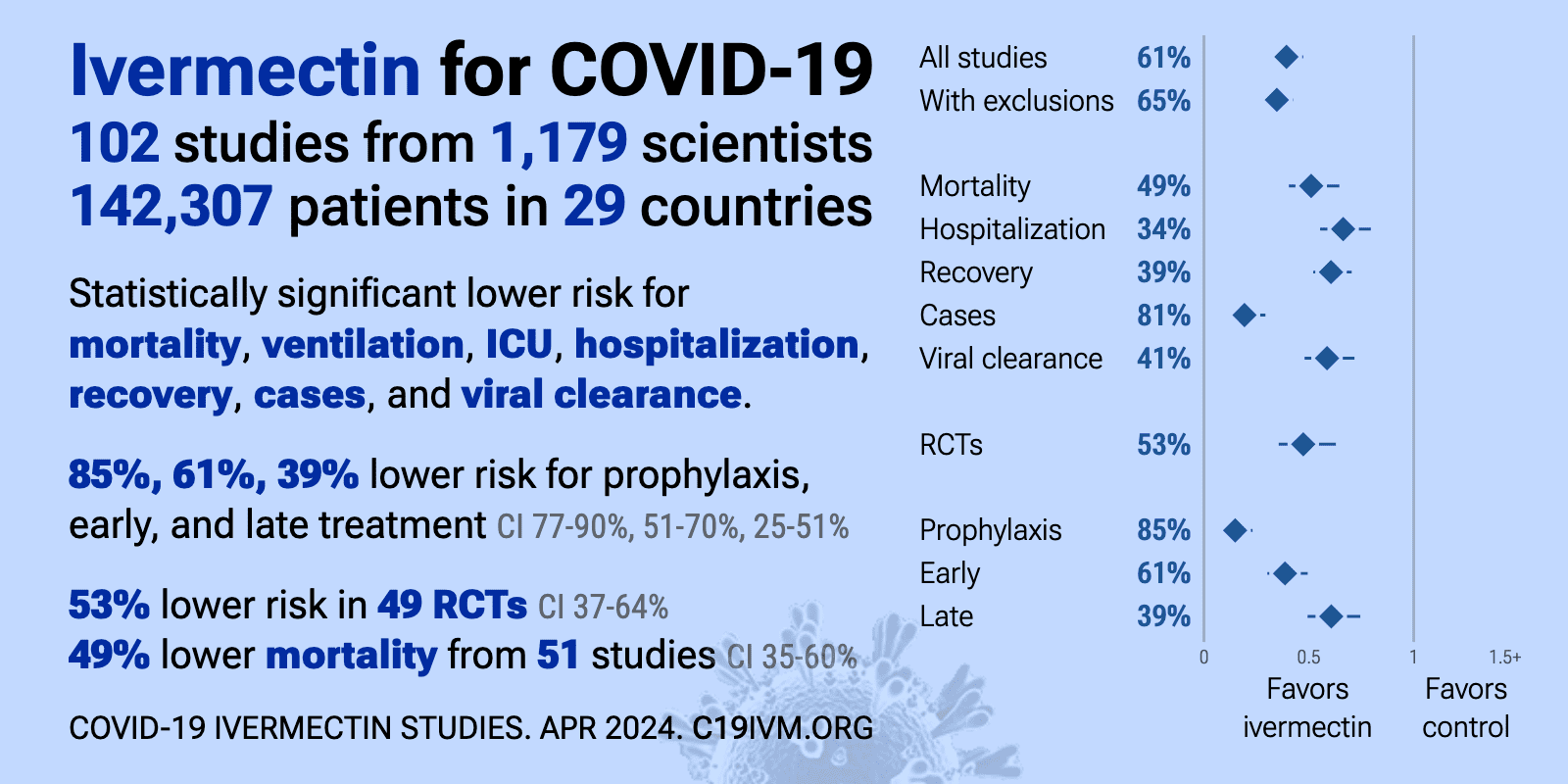
The day I wrote this, there have been 49 studies showing the effectiveness of Ivermectin against Covid-19. Across the world, 79 countries endorse the use of Ivermectin.
Currently, the official policy of the US FDA, and Henry Ford Health Systems, is to recommend no treatment until your lips turn blue, and then you should go to the hospital and get the $3,000 Remdesivir, which has worse side effects, and is much less effective.
There are insufficient data for the COVID-19 Treatment Guidelines Panel (the Panel) to recommend either for or against the use of Ivermectin for the treatment of COVID-19.
NIH Guidelines regarding Ivermectin for Covid-19, written February, 2021, still operative as of May, 2021.
There have been many scientific studies of Ivermectin for Covid-19 throughout the world, but the FDA make excuses about how the sample sizes were small, etc. It’s easy to sit in an ivory tower and demand a 2,000 person randomized trial. Smaller sizes are not ideal, but it doesn’t make the science invalid, especially when you see numerous studies from different countries showing consistent results!
It’s easy to criticize lower-budget research, but why didn’t the NIH conduct their own starting last April, when it first became known? Why, in spite of a year of mounting evidence, does the NIH do nothing regarding Ivermectin except downplay one of the best, safest, and cheapest treatments?
Everyone says to follow the science, except regarding this drug:
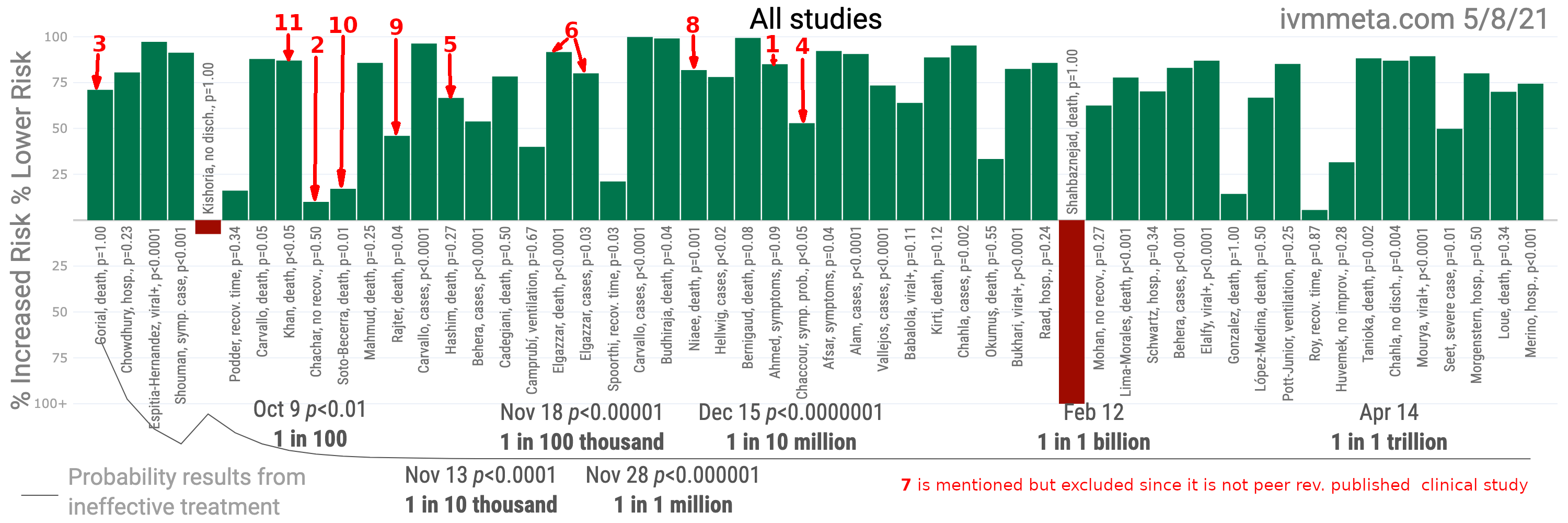
The probability that an ineffective treatment generated results as positive as the 53 studies to date is estimated to be 1 in 167 trillion.
IvmMeta.com
The FDA and NIH still recommend nothing for outpatient treatment or prevention except an experimental biological agent, vaccine mandates, 3 masks, a face shield, and anal swabs.

If you want to understand how the NIH came to the conclusion that Ivermectin wasn’t very effective, look at the studies (with red numbers above) that they chose to shape their (non) recommendation — and all the positive studies they ignored.
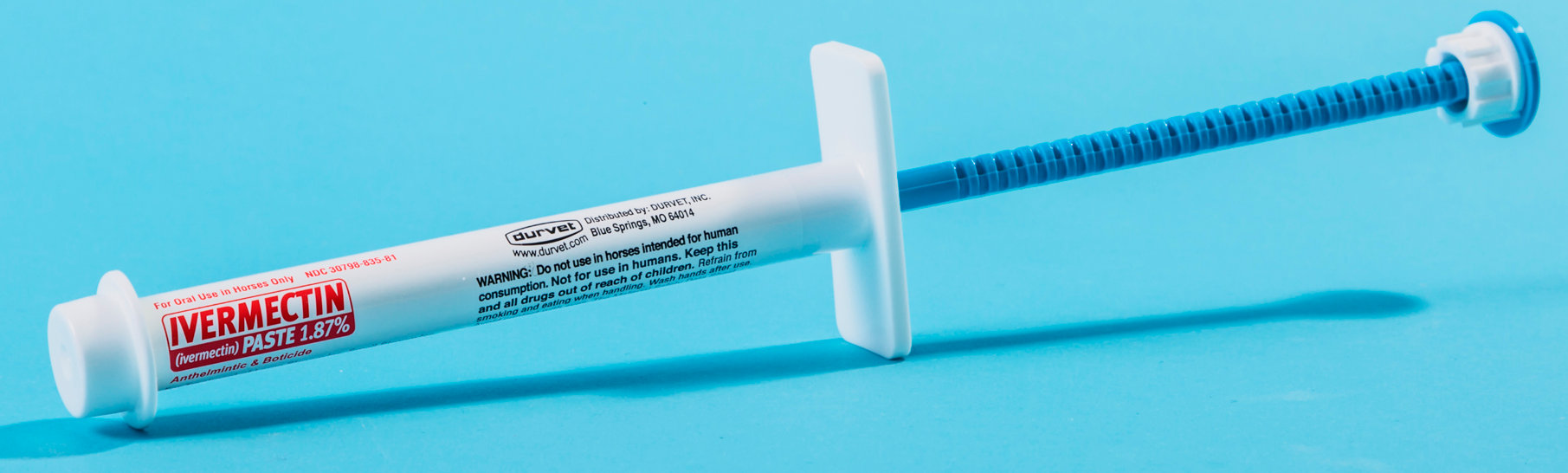
In many countries, Ivermectin is available without a prescription. Meanwhile, you can get Ivermectin at farm supply stores. For now. If you ignore the dire and false warnings. And find a place that has it in stock. I also recommend searching on DuckDuckGo for the smaller online retailers. Each notch is about 4mg of Ivermectin.
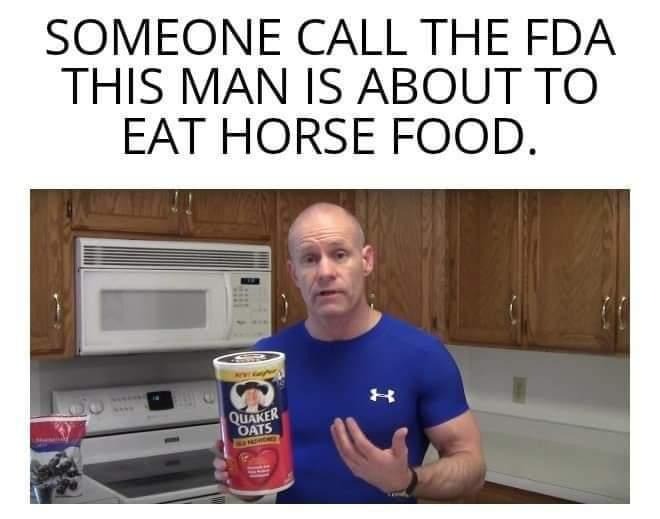
Dr. Pierre Kory talks about humans using the animal forms of Ivermectin in this clip. He cannot officially endorse it without a risk of losing his license, but he does give a subtle nod of approval by saying “Ivermectin is Ivermectin.” (Rage against the machine!)
The FDA lies and says:
For one thing, animal drugs are often highly concentrated because they are used for large animals like horses and cows, which can weigh a lot more than we do—a ton or more. Such high doses can be highly toxic in humans.
https://www.fda.gov/consumers/consumer-updates/why-you-should-not-use-ivermectin-treat-or-prevent-covid-19
The problem with their statement is a human might need 16 mg which is 4 notches, whereas 1250 pound horse might need 100 mg and 25 notches. Anyone who can count the difference between 4 and 25 will not overdose on the animal form of Ivermectin.
You can find a tele-health doctor online at sites like: https://americasfrontlinedoctors.org/covid/early-treatment/ or myfreedoctor.com. Note that many large chain drugstores like CVS will refuse to fill prescriptions of Ivermectin for Covid so you may want to try a local pharmacy. It’s almost as if the FDA wants to force people to buy the horse paste.
The standard dose is 0.2 mg per kg of body weight. The side-effects are generally not noticeable in healthy people. To make it easy, you can also divide your weight in pounds by 11 to determine the number of milligrams. However, in case of the Delta and other more infectious variants, doctors have been forced to use 2-3 times more. Please pass the message around that the standard is not good enough! Of course, Vitamin D is very important also. Take your vitamins!
If your doctor or pharmacist questions your interest in Ivermectin, you could ask whether they are aware that Ivermectin has a binding affinity to RdRp (RNA-dependent RNA polymerase), to prevent viral replication.
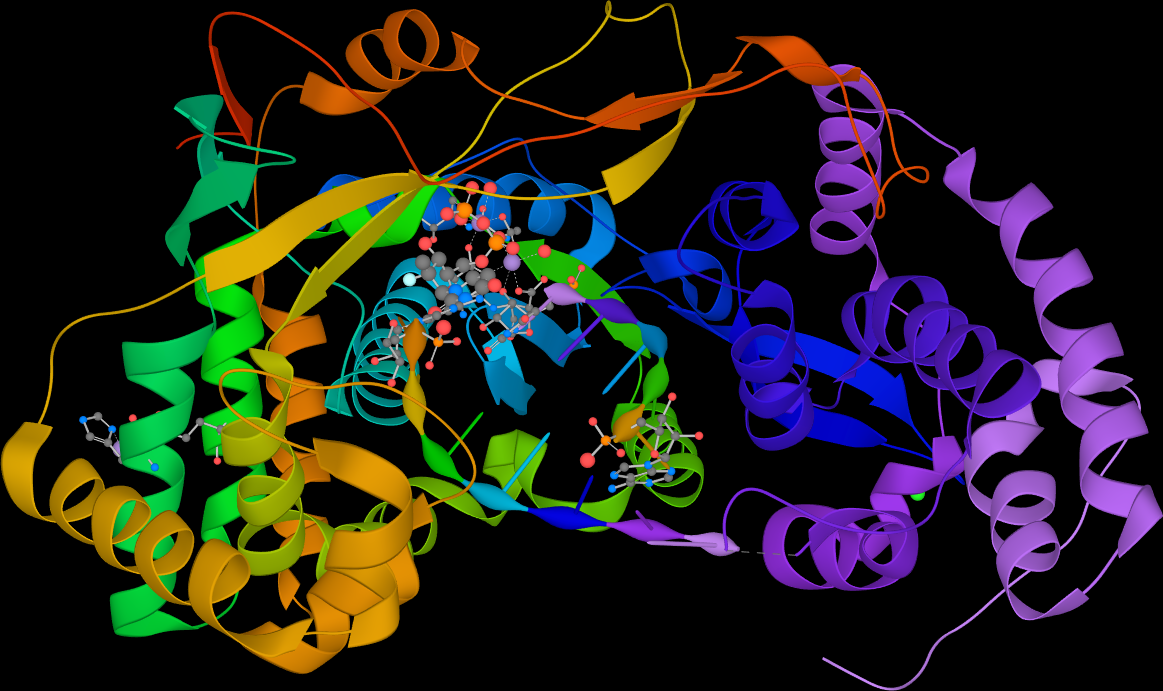
If they are still being difficult, you can ask whether they are aware that Ivermectin disrupts the protease 3CLpro. That enzyme breaks the single RNA strand into multiple proteins like a cookie cutter. Without this step, the next virus can’t form properly. Ivermectin also binds to the spike proteins, prevents viral proteins getting into the nucleus, and prevents the immune system over-reaction. It has about 15 different weapons to attack Covid-19, far more than any other drug for Covid.
Without treatment, the amount of virus in your body doubles every 9 hours. Treating early is always better, but there is evidence Ivermectin works in all phases of the disease, including for post-Covid, but any product reviews discussing it on your typical evil e-commerce site get taken down. I remember reading about how it helped a family of “horses” who had all caught Covid-19 since they had gotten together for an anniversary and stayed in the same small “barn” for the weekend. Eventually, that one was also removed.
You can take Ivermectin as treatment for Covid-19, but you can also take it twice per week as prevention, as explained in the FLCCC protocol.
I created a YouTube playlist with 5 hours of information about Ivermectin by distinguished doctors. Update: the first video was posted on YouTube in December, but was taken down in July, 2021. When you are done watching it, you can consider the likelihood that the censors at YouTube have better medical credentials.
I dug up a Vimeo link, but that got taken down also so I’m now using Odysee.com. We are heading towards the dystopia Brazil.
For the rest of the playlist, go here.
In countries like India, Ivermectin is available without a prescription. In the state of Uttar Pradesh, they mailed it out to their citizens! The WHO buys Ivermectin for two cents per pill. Meanwhile, the media can’t figure out why the cases are mysteriously plummeting. One of the theories is that steep fines for not wearing masks made a big difference.
Ivermectin was also widely used in some (blue) cities of Peru, with great results as soon as it was implemented:

If the FDA wasn’t so incompetent, we could have ended this pandemic last April. Testing without treatment for an infectious disease is madness — but who complains? Anyone with this disease should be given medicine for themselves and their entire household. That’s why making Ivermectin, Hydroxychloroquine, and other safe and effective treatments available without a prescription is the best and quickest and perhaps only way to end the pandemic.
Covid-19 for some is a head cold, for others can be debilitating. There are already vaccine-evading variants in Michigan, and some say we are going to have full escape in the near future. That’s government and Big Pharma for you, mobilizing everyone to fighting the last war, against the initial Covid-19 strain. In evolutionary biology terms, in a if you do a serial passage vaccination experiment in humans with non-sterilizing antibodies, the virus is going to mutate around it.
That’s why it can be worth having Ivermectin and other treatments at home ready even if you have received a Covid-19 injection. Antibodies are helpful, but preventing the virus from replicating makes their job much easier, decreases the chance of an immune system over-reaction, and it works against all variants.
Ivermectin was first discovered because someone bothered to analyze the by-products produced by random bacteria in the soil, against lab rodents infected with worm parasites. William Campbell, who was one of the first people to isolate it, thinks the bacteria evolved to kill parasites. It’s not a toxic chemical, it’s a simple chemical that exploits a design weakness in many worm species. Studies have explained:
Ivermectin binds to glutamate-activated chloride channels existing in nerve or muscle cells of nematode with a specific and high affinity, causing hyperpolarization of nerve or muscle cells by increasing permeability of chloride ion through the cell membrane, and as a result, the parasites are paralyzed to death.
Streptomyces Avermitilis for President 2024!
Just imagine if that humble bacteria’s output could also be used to crush Covid-19. One day, some one will be able to explain why one chemical can be so safe and effective against both worms and RNA viruses.
Update: FLCCC just released the first version of their Long-Haul Covid-19 treatment guidelines. The post-Covid-19 portion of their protocols starts on page 32.
If you are unsure about the whether to get the mRNA experimental gene therapy, aka “the Covid vaccines”, read this whitepaper. Looking at the safety, efficacy, and cost, it’s pretty clear what medicine that governments should be pushing to be more widely used. Injections of mRNA for Covid-19 is like 10 million Tuskegee experiments.
I also recommend investigating Chlorine Dioxide, which treats (via selective oxidation) Covid-19, and many other diseases. The government says it’s poison, even though it’s used in mouthwash and water treatment. It’s only poison far outside clinical doses, like eating two cups of salt. You don’t have to be a doctor to understand the concept of oxidizing the f*cking virus, and other diseases, and if you did, you’d be better informed than those at the FDA, who have the problem of bureaucratic incompetence combined with regulatory capture.
Update: If you made it all the way to the end, thank you! Please read the latest protocol from the FLCCC for advice on new drugs, daily supplements, and especially about regular gargling with a mouthwash and nasal sanitation. Kill the virus in your nose and mouth!
There are numerous other good non-drug treatments such as Quercerin, Zinc, Spirulina, Elderberry, Turmeric, Black Cumin Seed, Pepcid, Aspirin, Nittokinase, Reseveratrol, NAC, etc. Ivermectin (with Zinc) is the most potent medicine, but against Delta, you want to throw everything you can think of at it. Sometimes steroids are needed. Contact me if you want any advice. There are many studies for the above drugs here: https://c19early.com/
Love,
Keith